PNG to PDF
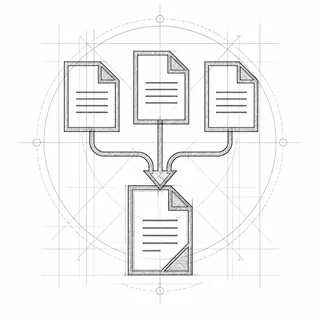
Turn PNG screenshots and images into a single PDF, losslessly, one image per page. JPG images work too.
Your file is ready
🔒 Files stay in your browser. For secure storage and sharing, consider Proton Drive (affiliate link).
About PNG to PDF
Turn screenshots, diagrams, charts or scanned pages saved as PNG into a single PDF for sharing or printing. PNG images are stored losslessly, so text in screenshots stays sharp, and transparent areas show as white. Nothing is uploaded, so screenshots of private chats, bank pages or dashboards stay on your device.
How to convert PNG to PDF
- Drop your PNG images into the box, or click it to choose them.
- Drag the images into the order you want the pages in.
- Choose the page size (same as the image, A4 or US Letter) and a margin.
- Click “Create PDF”, then “Save PDF”.
Everything happens in your browser; nothing is uploaded. Very large files (over ~100 MB) can be slow on phones.
Frequently asked questions
Are my PNG files uploaded?
No. TrustPDF runs entirely in your web browser using JavaScript. Your images are read and processed on your own device and is never sent to a server. The site's Content-Security-Policy does not allow the page to send anything to any other site, and you can check the open-source code on GitHub.
Is PNG to PDF conversion lossless?
Yes. The PNG pixels are stored in the PDF without any lossy compression, so screenshots and text stay exactly as sharp as the original.
Can I mix PNG and JPG images?
Yes. You can add JPG and PNG files in the same PDF; each image becomes one page.
Why is my PDF larger than the PNG files?
It should be about the same size. A PDF made from many large screenshots can still be big; Compress PDF with the Strong setting turns pages into JPGs and makes it much smaller.